Skip to content

How it works

Your software grows each time you ask.

Tell Plantable what the business needs next, in plain words. A team of agents plans it, builds it and tests it. Then a person on your team tries it and releases it. Every change, the same way.

  • No code to write
  • Tested before it ships
  • A person releases each change
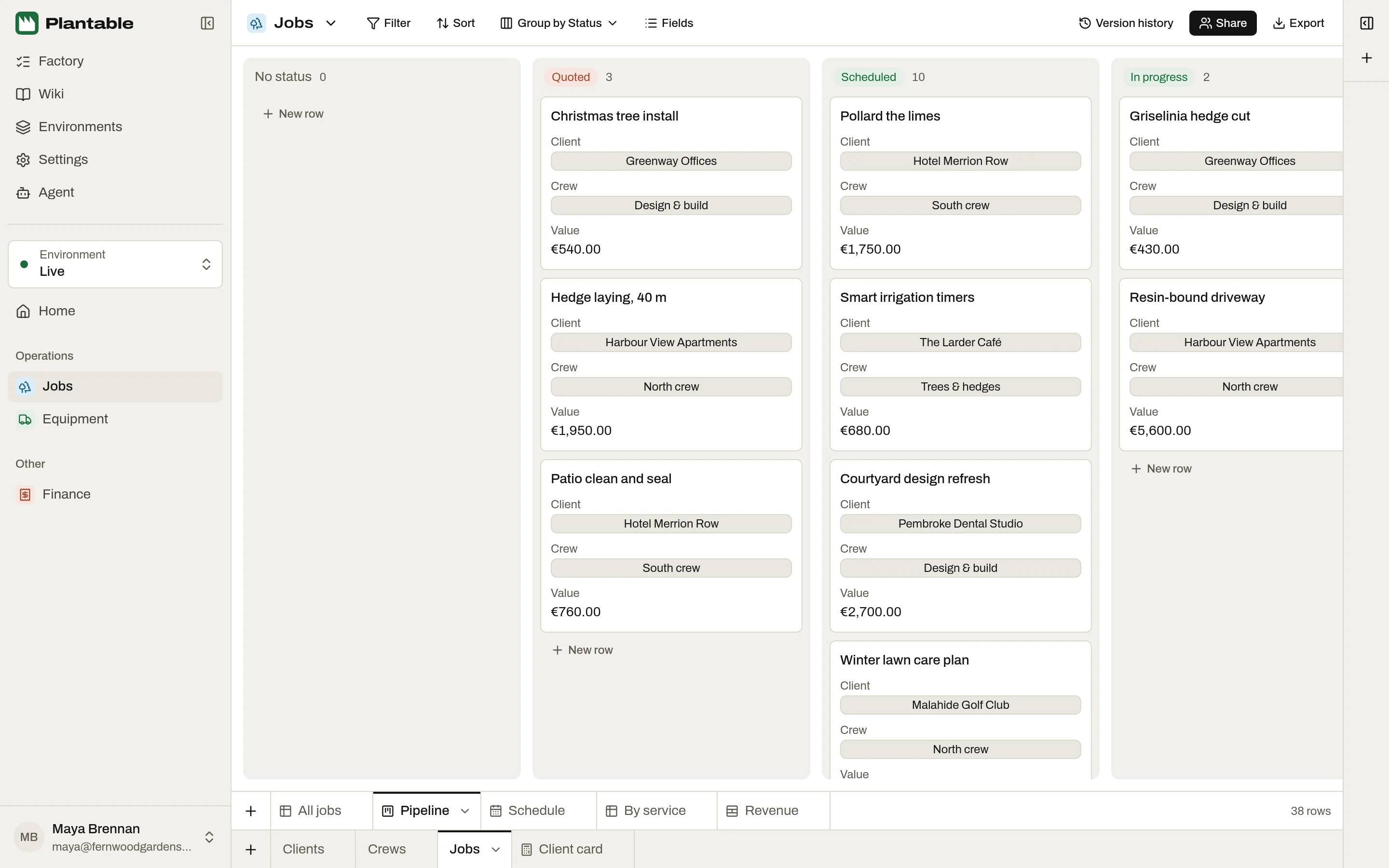
The Jobs sheet of a garden business as a board: each job under its status, with its client, crew and value.
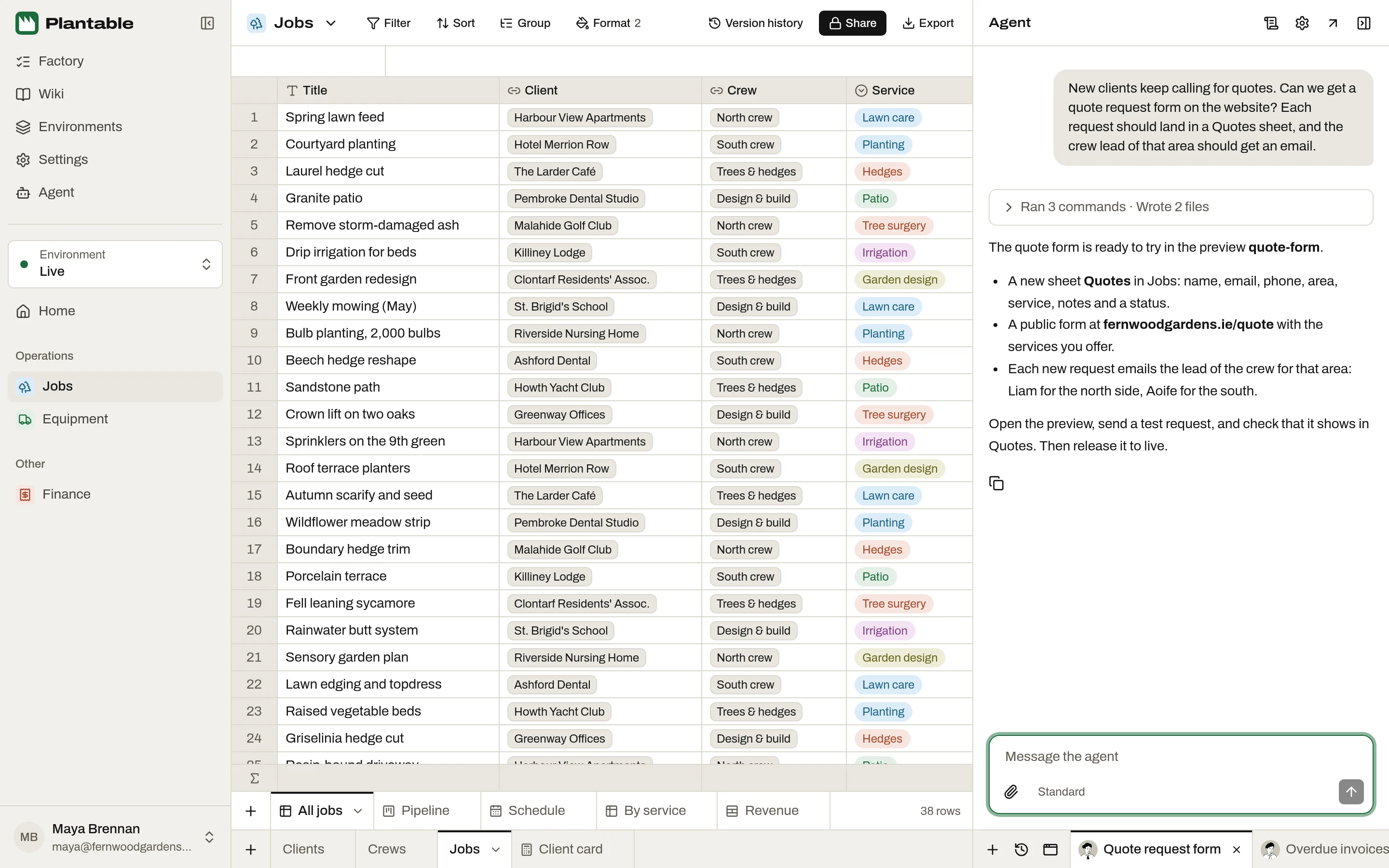
A request to the agent for a quote form on the website, and its reply: a Quotes sheet, a public form, and an email to the crew lead of each area.

What you get

Sheets, apps and an agent, on one database.

Your team works in sheets. The business runs on apps made for it. An agent sits beside every page. All three read and write the same data, so nothing is copied by hand.

Sheets your team works in

Clients, jobs, hours and money, in sheets that link to each other. Your team already knows how to use them.
The Jobs sheet of a garden business, with each job, its client, crew and service.

Apps made for the business

Bookings, a client portal, timesheets. Start from a ready app or ask for a new one, and each one changes as you ask.
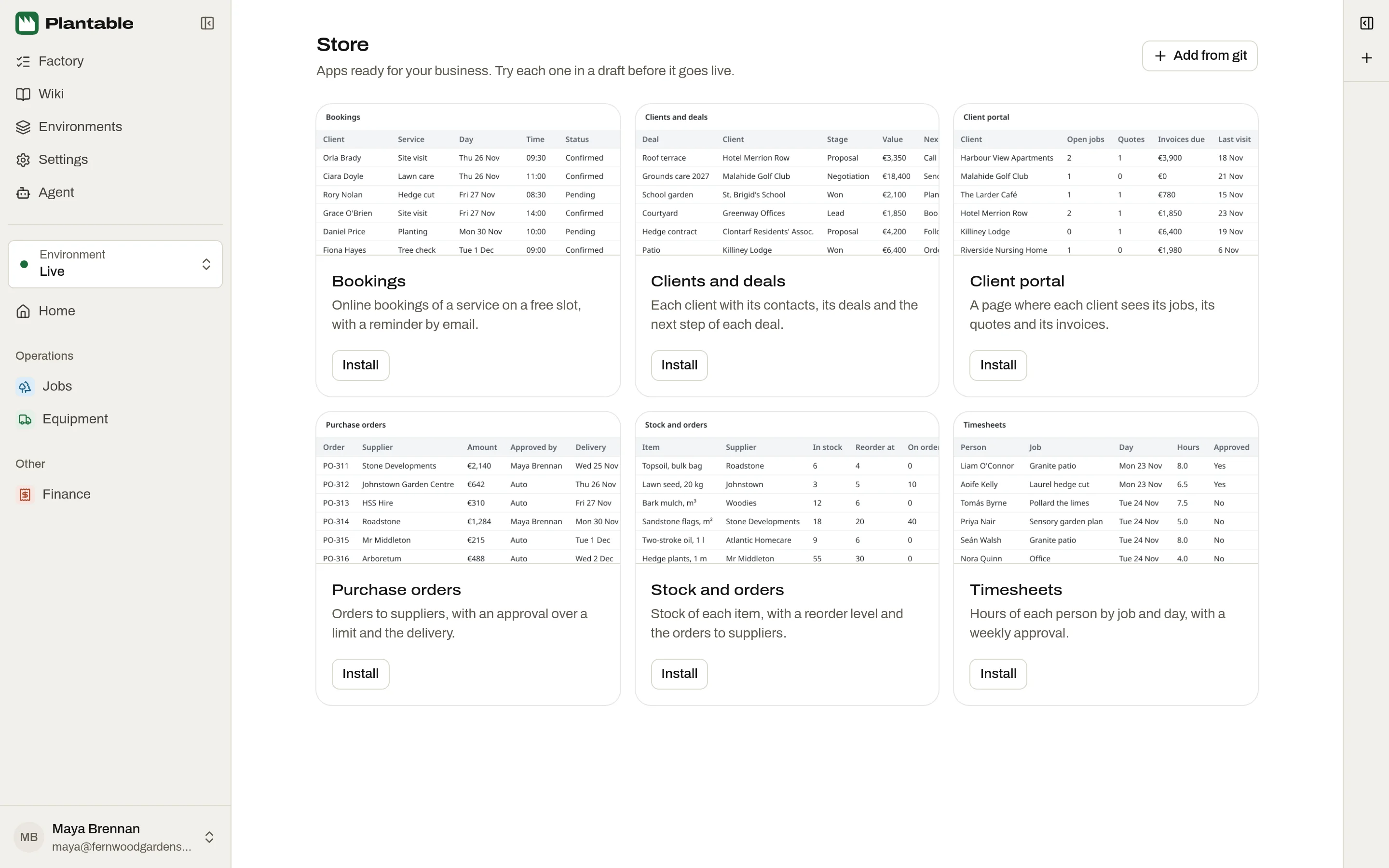
The store, with ready apps for bookings, clients and deals, and a client portal.

An agent beside every page

Ask about the page in front of you, or ask for something new. The agent knows your data, so you never explain the business twice.
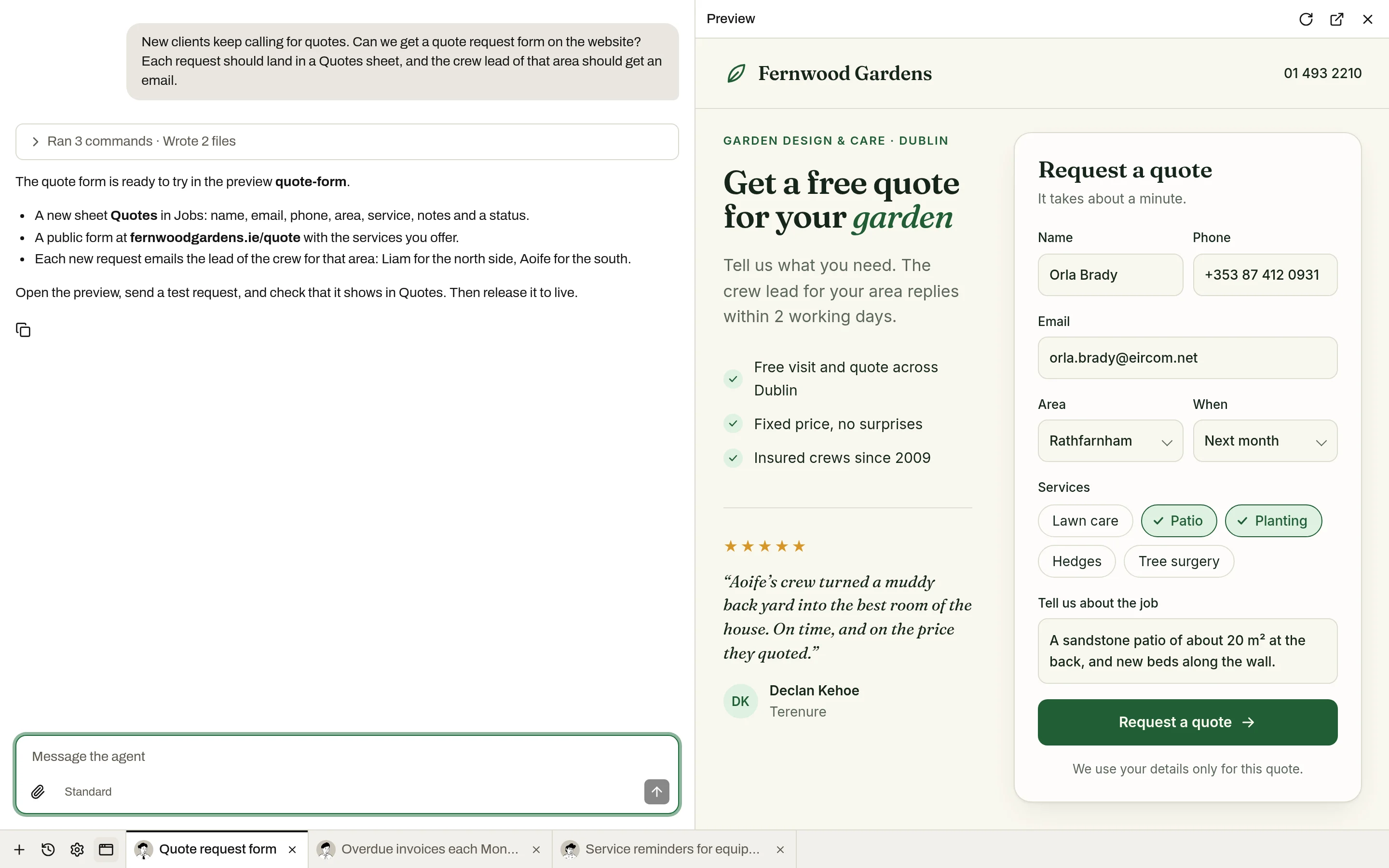
A request to the agent for a quote form on the website, and the start of its reply.

One database under all of it. Each business gets its own Postgres database. The sheets, the apps and the agent all work on it, so a change in one shows in the others.

The loop

Five steps from an idea to software your team uses.

Every change takes the same path, from the first app to the smallest fix. The agents do the work. You make the calls only the business can make.

  1. Step 1: Ask in plain words

    Tell the agent what the business needs, the way you would tell a colleague. No forms to fill in and no specs to write. The chat sits beside every page, so you ask right where the work is.

    A request in the agent chat: a quote request form on the website, with each request in a Quotes sheet and an email to the crew lead of the area. The agent replies with what it made.
  2. Step 2: Answer questions about the business

    When something is unclear, the agents ask before they build. They ask what only you know, like which phone each crew lead uses for texts.

    They never ask about code.
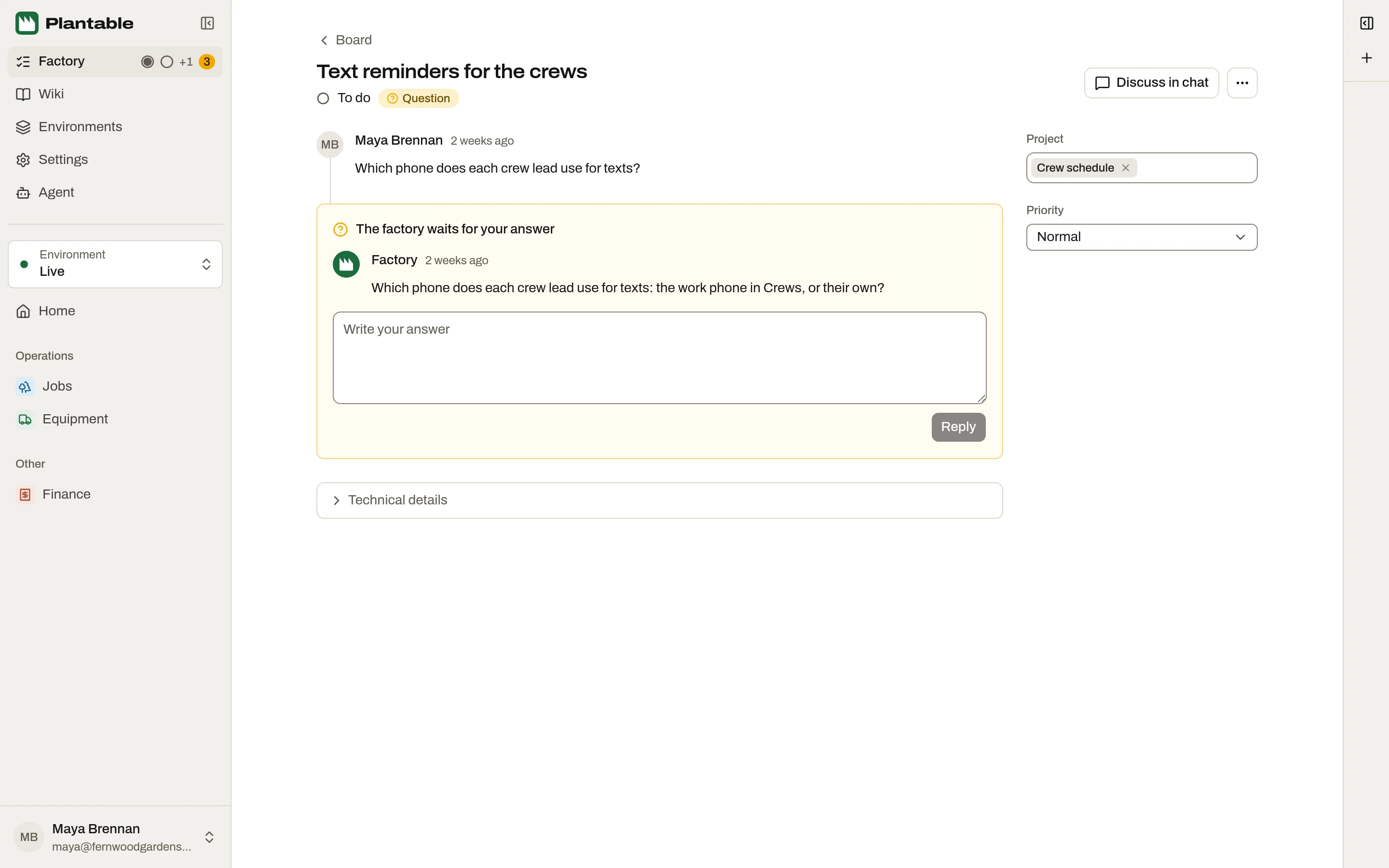
    A question from the agents on a request for text reminders: which phone does each crew lead use for texts, the work phone or their own? A box below takes the answer.
  3. Step 3: Approve the plan

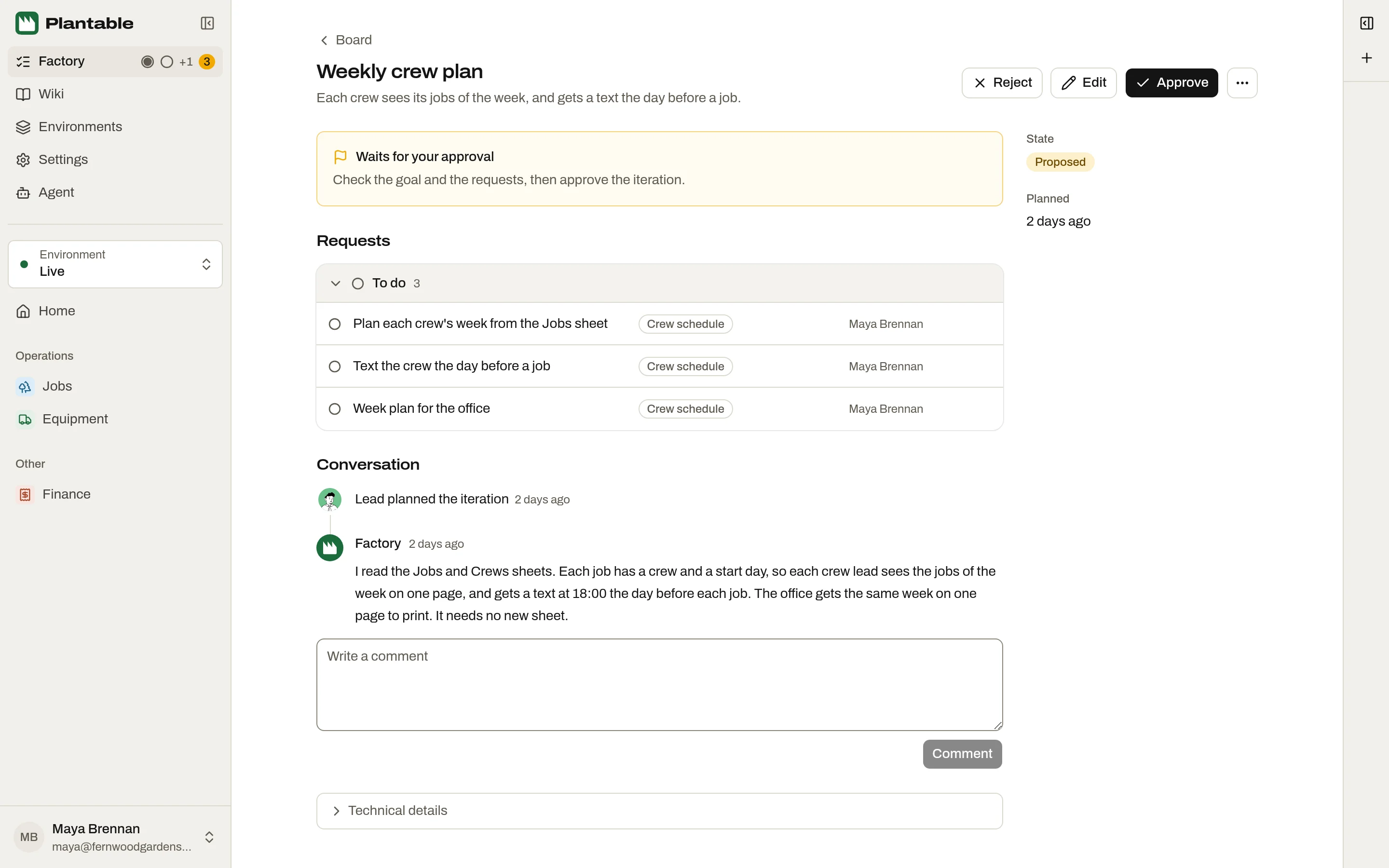
    The lead agent turns the request into a plan: the goal, and each piece of work in it. Approve it, edit it, or reject it.

    How often a plan waits for you
    • Always ask
    • Ask when needed
    • Never ask
    The plan for a weekly crew plan, waiting for approval, with its three requests, a note from the factory on how it will work, and the buttons to reject, edit or approve it.
  4. Step 4: A team of agents builds it

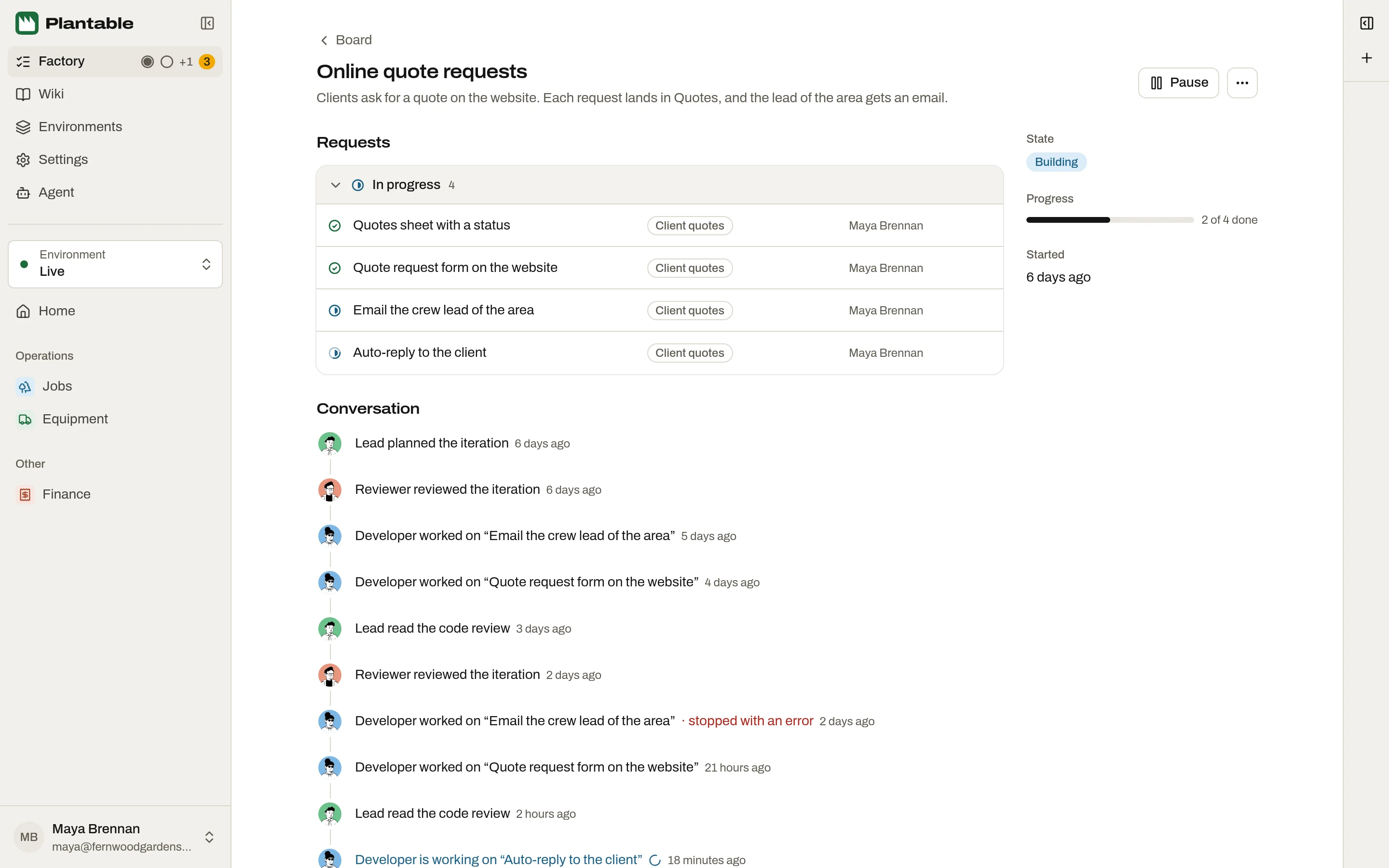
    The work goes to a team, each agent with its own job. You see each request move from planned to built.
    Lead
    Plans the work.
    Developers
    Build it.
    Reviewer
    Checks the whole change.
    Tests
    Must pass, or nothing ships.
    The work on online quote requests while it is built: four requests, two of them done, and below, the lead who planned it, the reviewer who checked it and the developers who built each request.
  5. Step 5: Try it, then release it

    The change opens on a copy of your business, with your real data. Click through it and send a test. Until it is released, nothing changes for anyone.

    Try
    Open the change on a copy of live.
    Release
    An approver gives it to the whole team.
    Send back
    Say what to change, and the agents take it from there.

    Releasing needs a recent sign-in.

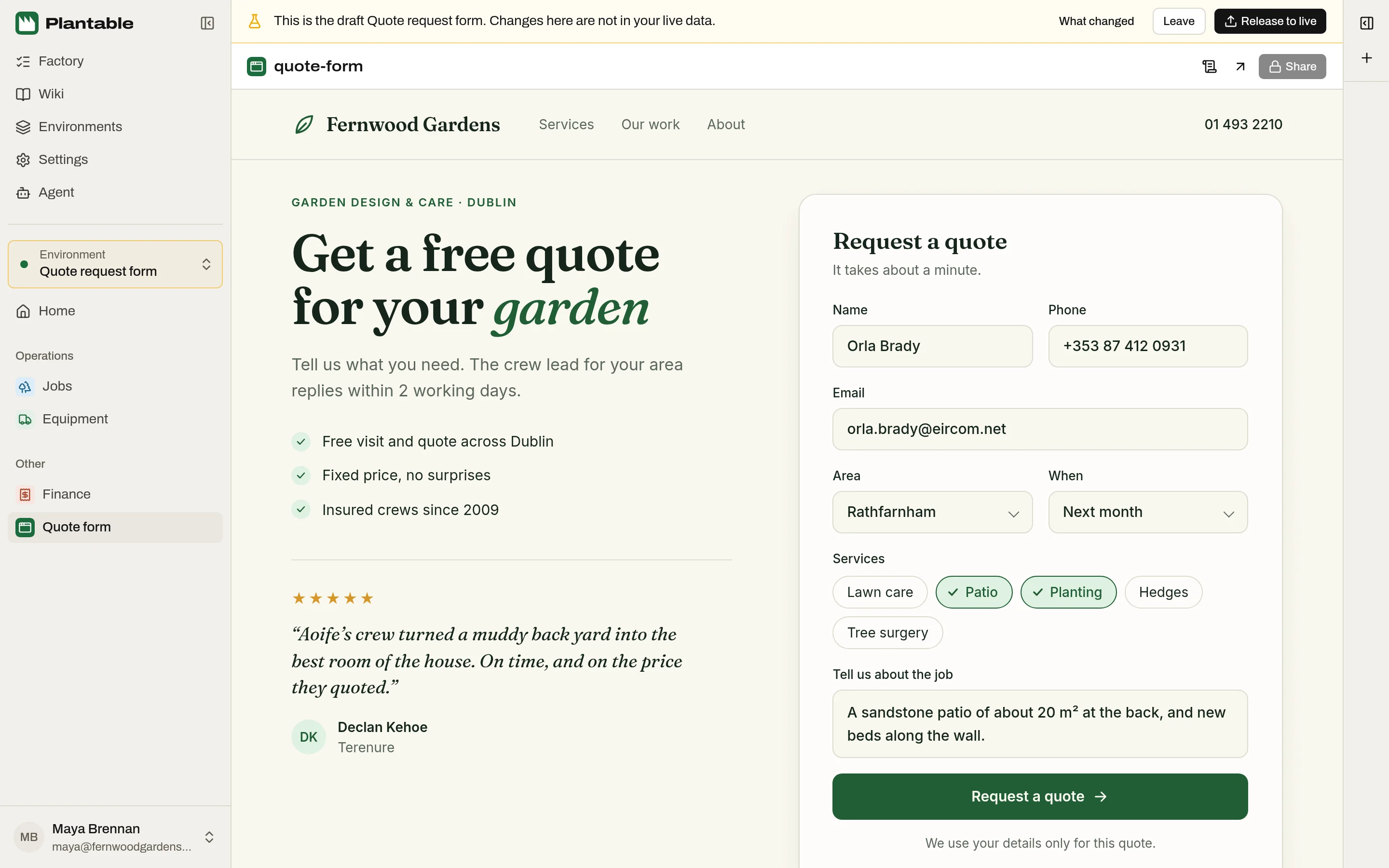
    The new quote form open on a draft copy of the business, with a note that changes here are not in the live data, and a button to release it to live.

Who does what

You decide. The agents do the work.

You never manage a developer or read a line of code. You make the calls only the business can make, and the agents do everything else.

You

  1. Decide what to build
  2. Answer questions about the business
  3. Approve, edit or reject the plan
  4. Try the change on a copy with your real data
  5. Release it to the team, or send it back

The agents

  1. Plan the work
  2. Ask when something is unclear
  3. Build it in real code
  4. Review the whole change
  5. Test it, and ship nothing until the tests pass

Your team

The whole team works in it.

Everyone works in the same sheets and apps, and each person sees what they should. Changes to the software stay with the people you trust with them.

Roles
  • Owner
  • Admin
  • Member
  • Guest

Guests see only what is shared with them.

Each sheet
  • Read
  • Write
  • Manage

Set for each sheet, so each person sees and changes what they should.

Releases
  • Approver

Only approvers release a change to everyone, and releasing needs a recent sign-in.
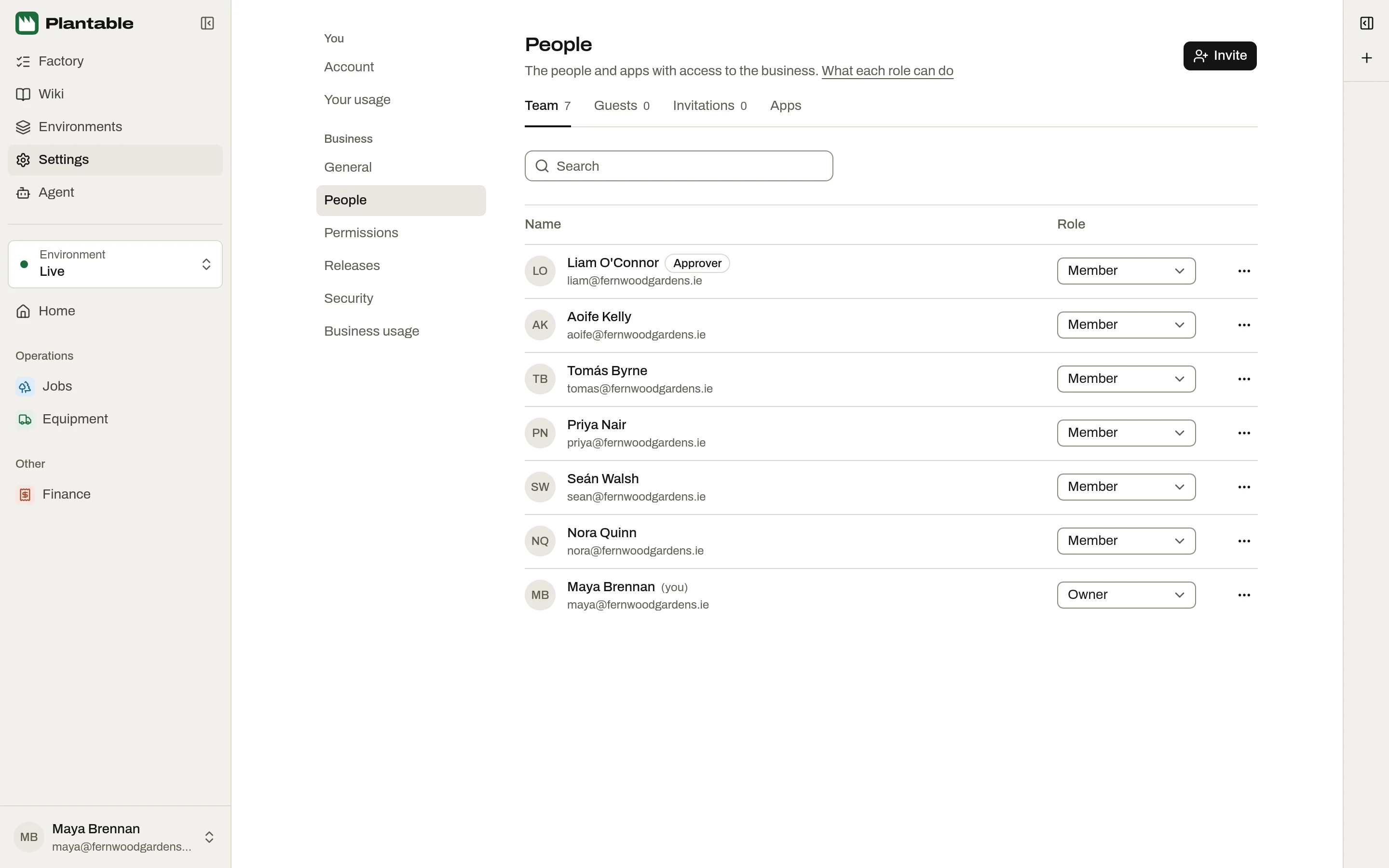
The people of a garden business in the settings: each person with their role, the owner, the members, and one member who is also an approver.

History

Undo anything.

Every cell keeps its full history: who changed what, and when. Any edit can be undone, so a mistake is never for good.
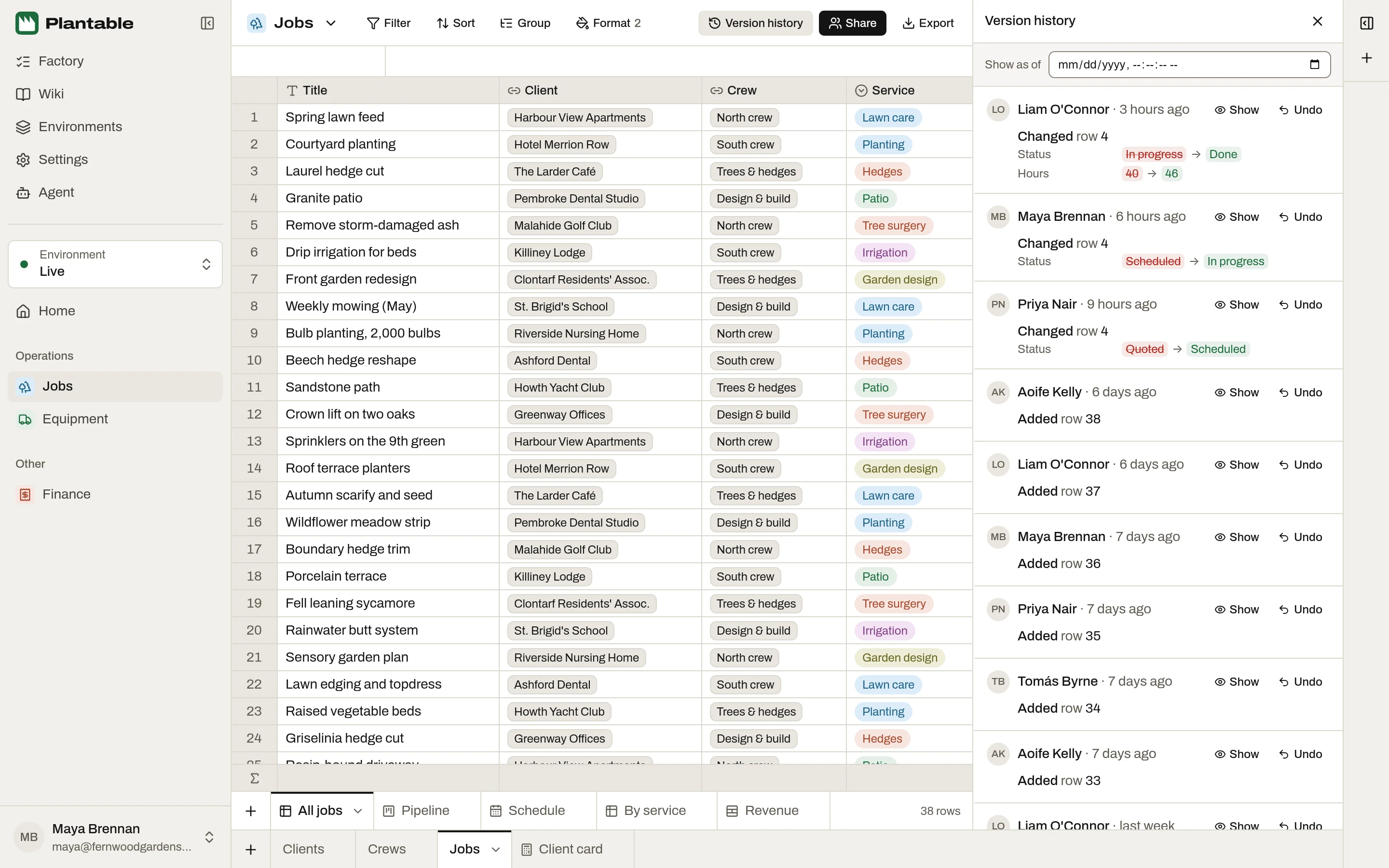
The Jobs sheet with its version history open: each change to a row, who made it and when, the old and new values, and a button to undo it.
Who
The person behind each change.
What
The value before, and the value after.
When
The moment it changed.
Undo
Puts any edit back, in one click.

Questions

What people ask before they start.

Short answers to the first questions about it.

Do I need to know code?

No. You talk about the business: what it needs, and how it works. The agents write the code.

What if it builds the wrong thing?

Nothing reaches your team until a person tries it on a copy and releases it. If it is not right, send it back with what to change.

Can I change an app later?

Yes, at any time. Ask, and it changes, the same way it was built.

Who owns what gets built?

You do. Your data is in your own Postgres database, and each app is code in your own git repository.

Can it run on our own servers?

Yes, on request.

Book a demo

Bring the first thing you would ask for.

We show you Plantable on a business like yours, and talk through the first apps it could build for you.