Nothing about Plantable locks you in. The data and the apps belong to the business, in standard formats.
Your data stays yours.
Each business gets a database of its own, shared with no other business. It is Postgres, a standard that any developer or tool can read.
Database
Postgres, one per business
Location
Nuremberg, Germany
Export
All of it, at any time
Your apps are yours too.
Each app is real code, in a git repository of your business. Your developer can clone it and read every line.
Code
In your own git repository
Access
Your developer clones it
Traffic
Encrypted in transit, with TLS
Run it on your own servers.
When the data must stay in house, we set up Plantable on the servers of your business, on request.
Who gets in
No passwords to steal.
People sign in with a key that only they hold. There is no password to guess, to reuse or to leak.
Three ways to sign in
A passkeyA1Sign in with the face, the fingerprint or the PIN that unlocks your phone or laptop.
Company sign-inA2Sign in with the Google Workspace or Microsoft 365 account of your business.
An email linkA3Get a link by email, and open it to sign in.
Know when a new device signs in.
When an account signs in on a new device, the person gets an email about it.
Only from the office, if you choose.
Owners can limit access to the IP addresses of the office, with an IP allowlist.
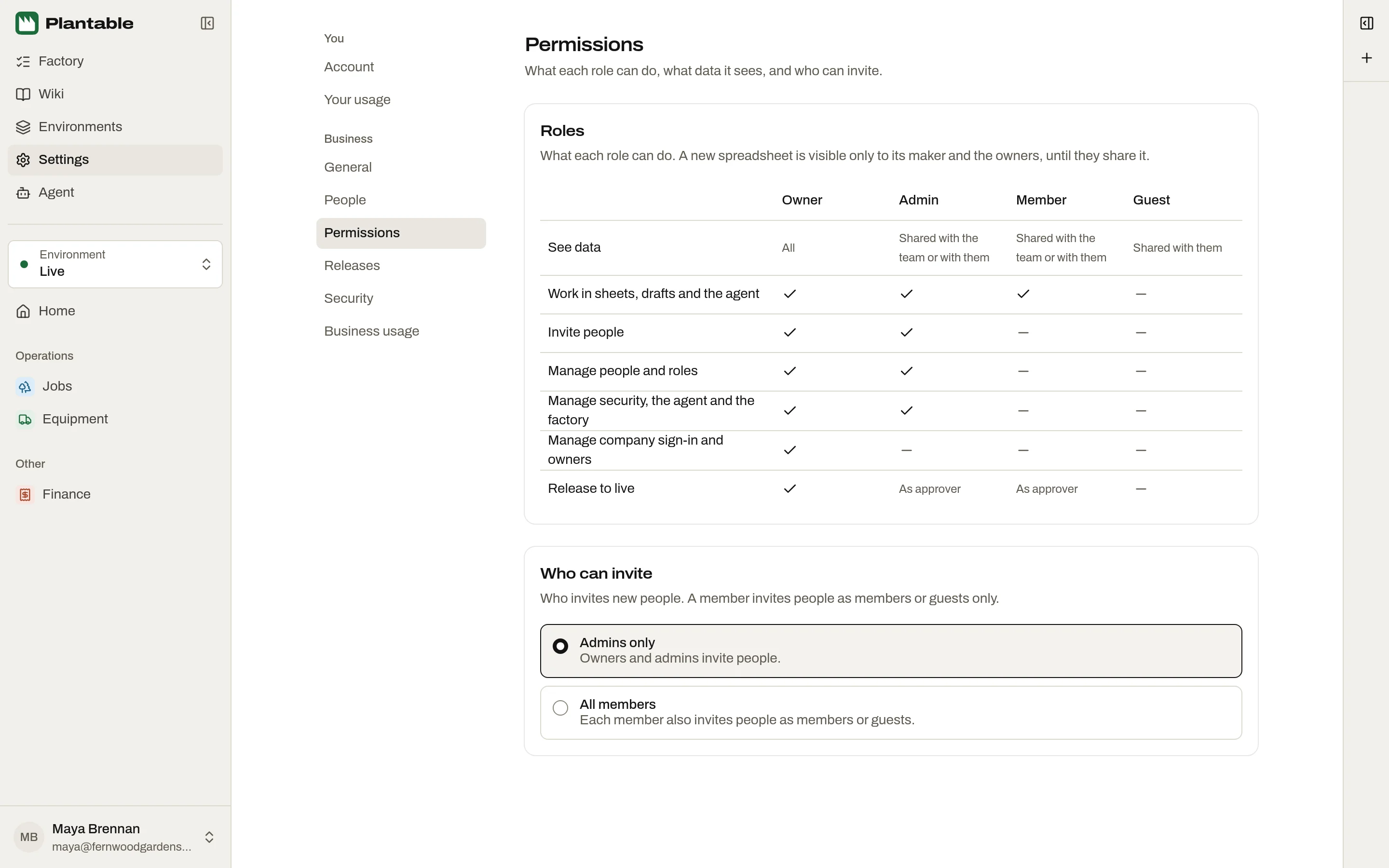
Who sees what
Each person sees what they should, and nothing more.
Give each person a role, then give them access to each sheet. A client or a contractor can join as a guest and see only what you share.
1
Owner
Sees all the data. Only an owner manages company sign-in and the other owners.
2
Admin
Invites people, sets their roles and manages security.
3
Member
Works in the sheets, the drafts and the agent, on the data shared with them.
4
Guest
Sees only what is shared with them. Nothing else.
On each sheet
Each person gets one of three levels of access.
Read
Write
Manage
Change control
Nothing changes behind your back.
Agents build the changes, and people decide. Each change takes the same four steps before it goes live, and any edit after that can be undone.
Step 01
Built on a copy
Each change is built on a copy of your data. The live data stays as it is.
Step 02
Tested
The tests of the app must pass, or the change goes no further.
Step 03
Tried by a person
Someone in your business opens the copy and tries the change for real.
Step 04
Released by an approver
Only an approver releases it, and only after a recent sign-in.
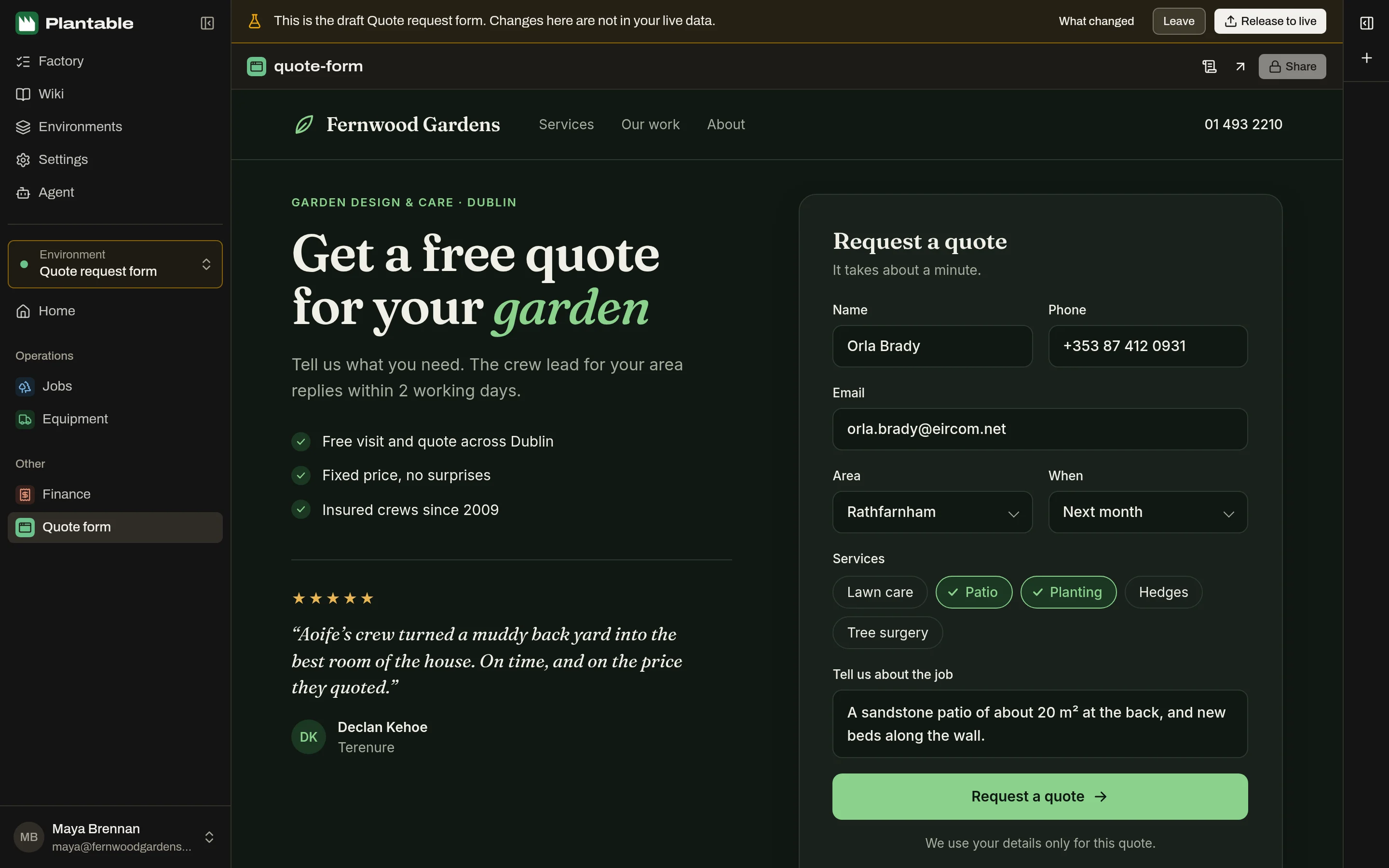
Try it on a copy. A draft shows the change on your real data, and nothing reaches the live data until it is released.
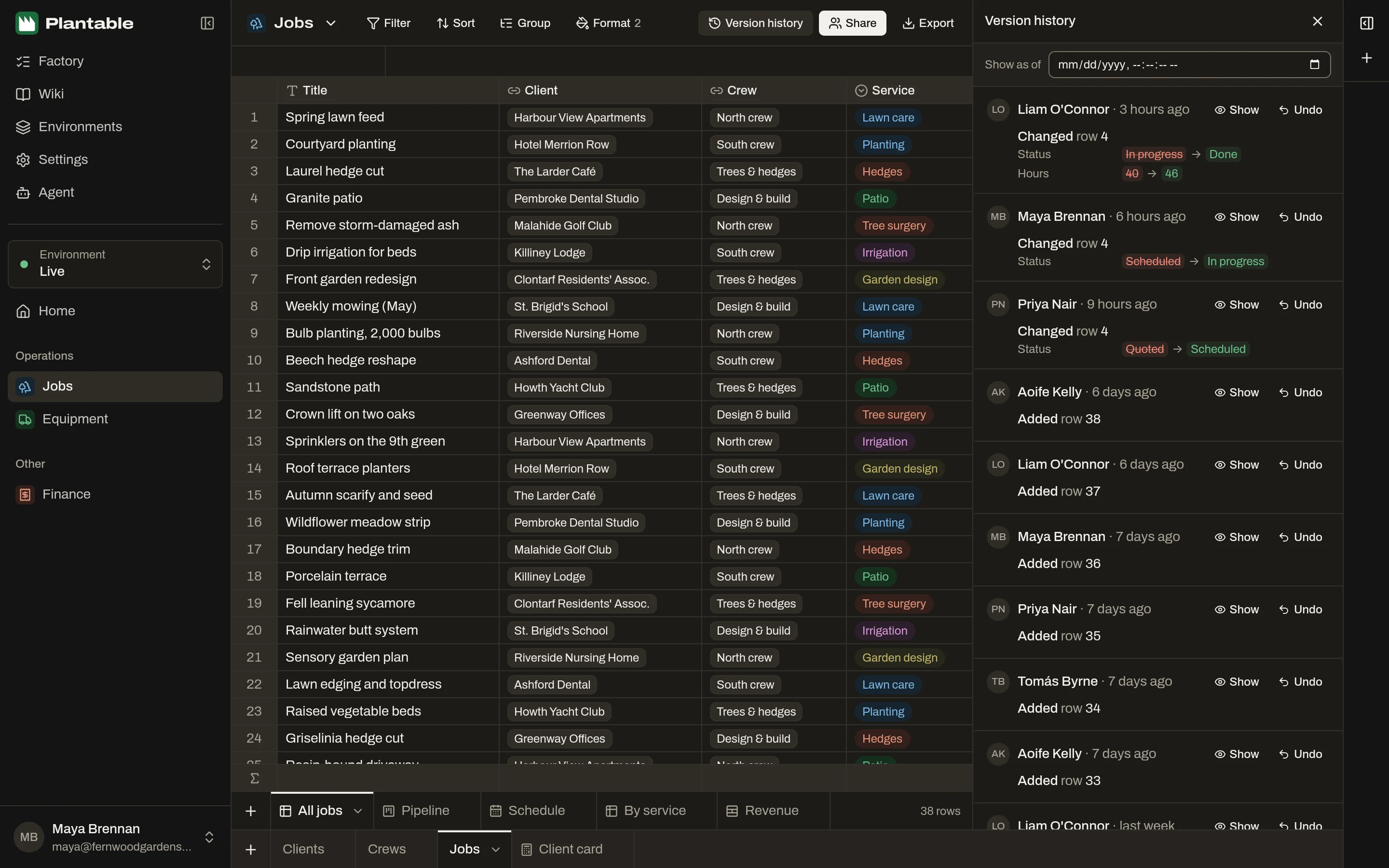
Undo any edit. Every cell keeps its full history: who changed it, from what, and when.
A security log keeps the record. Each sign-in and each security event is kept for 90 days.
90 days
Backups
Your data, copied all day and kept elsewhere.
Backups run around the clock. Each one is encrypted and stored away from the server it came from.
A1
1 minEvery change, archived
Each change to the database is archived within a minute.
B1
NightlyA backup every night
The database is backed up every night, with a full backup every week. Files are backed up every night too.
C1
EncryptedLocked before it leaves
Every backup is encrypted before it leaves the server.
D1
Off-siteKept somewhere else
Backups are kept off the server, in Cloudflare R2 storage in western Europe.
AI and your data
The agent sees only what you see.
A member who cannot open the payroll sheet cannot get it from the agent either. And the AI models keep nothing once a request is done.
You
A person asks
Anyone on the team can ask the agent about the data in front of them.
The agent
The agent works as that person
It has the permissions of the person who asks, so it sees only what they can see.
The model
The model keeps nothing
Models run through OpenRouter with zero data retention. The providers keep nothing after the request, and never train on your data.
The paperwork
In writing, and in plain words.
Plantable is run by Softcery OÜ, a company in Estonia, in the EU. Our Data Processing Agreement follows the GDPR, and the pages below set out how we handle your data.